Settings
Settings control your company info, how the app looks and notifies you, billing defaults, security, and connections like QuickBooks. Everything in this section is under Settings in the menu (or under your profile where it applies).
Company
- Settings → Company — Your business name, logo, address, phone, and other contact details. These can appear on estimates, invoices, and receipts.
Display
- Settings → Display — How dates and times are shown, timezone, and other display preferences.
Notifications
- Settings → Notifications — How the app sends notifications (e.g. in-app vs email) and for which events.
- Notification preferences — Each user opens Profile → Alerts & notifications to choose channels and categories.
- Notification list — Use Notifications in the main navigation for history and mark-as-read. See Notifications.
Billing
- Settings → Billing — Default options for billing—for example tax, payment terms, or other defaults used when you create estimates and invoices.
Events
- Settings → Events — Defaults for the calendar and events (e.g. how events are shown or which event type is default).
Security
- Settings → Security — Change your password, turn on or manage two-factor authentication (2FA), and see or end your sessions. Keeping 2FA on is recommended for better security.
Video: Enabling MFA in Security settings.
Roles & permissions (admins)
- Settings → Roles & permissions — Define roles and what each role can do; create or edit roles and assign them to users. Only users who have permission to manage roles can see this section.
Issues
- Settings → Issues — Global options for issues—for example default status, which fields are required when creating an issue, and stale ticket detection (threshold and enable/disable).
- Settings → Issue priority levels — Customize priority levels (names, colors, descriptions) used on every issue.
Terms & conditions
- Settings → Terms & conditions — Create and edit templates for terms and conditions that you can attach to estimates and invoices so they print on the PDF.
Workspace features
Admins with workspace access can open Settings → Workspace features to turn major modules on or off for the whole workspace. When a feature is disabled, related menus and pages hide; existing data is usually kept (you may see a notice when disabling something that already has records).
Typical toggles include:
- Devices catalog — Device list, issue links, and related reporting.
- Parts catalog — Parts list and linking parts to devices.
- Proposals — Proposal builder, client links, and proposal navigation under Docs.
- SMS messaging — Messaging inbox and SMS threads on users and issues.
- Knowledge base (BookStack) — Premium: search BookStack from an issue and link BookStack pages to tickets. Your administrator must complete the BookStack connection and turn this toggle on. When disabled, linking UI hides; existing links remain stored.
See also: Proposals, SMS & messaging.
QuickBooks Online
- Settings → QuickBooks — See whether QuickBooks is connected, and connect, disconnect, or adjust sync settings. Your admin usually handles this. Use the toggles to enable Sync user to QBO (users as customers) and Sync issue to invoice (create/update invoices from issues).
Starting in v3.0.0, QuickBooks allows one OAuth connection per QuickBooks company—coordinate with your admin so the correct company is linked. Invoice document numbers may be left for QuickBooks to auto-generate where applicable.
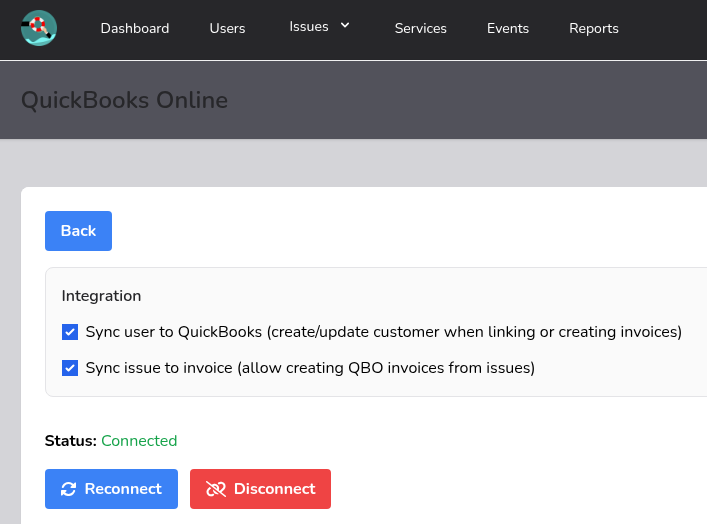
Video: Connecting your account to QBO.
Teams
Team-specific options may appear under Teams or when you switch into a team, rather than under the main Settings list.